iPad teleprompter with AirPods
Hear the call.
Keep your place.
You do not need AirPods when AdLibly is working on its own. During a video call with iPhone Companion, AirPods keep the meeting audio in your ears so the nearby iPhone hears your voice clearly.
When AirPods help
When AdLibly runs by itself on iPhone or iPad, the device can listen directly. AirPods are most useful when a meeting app and AdLibly share an iPad through iPhone Companion.
Why video calls are different
Teams, Zoom or Google Meet may use the iPad microphone for the call, leaving a nearby iPhone to listen for AdLibly. If the meeting plays through the iPad speakers, the iPhone can hear the other people in the call as well as you. AirPods keep that meeting audio out of the room.
A practical arrangement: the meeting and AdLibly run on iPad, AirPods play the call audio, and a nearby iPhone Companion listens to you.
When the meeting and AdLibly share an iPad
- Connect AirPods or other headphones to the iPad that will run the meeting.
- Open your script on iPad and tap Present. A four-digit code appears at the top of the screen.
- On iPhone, open AdLibly, tap Connect to iPad, choose your iPad, enter the code and tap Pair with iPad.
- Open the meeting beside AdLibly on iPad, join the call and confirm that its audio is playing through the headphones.
- Say the opening lines and check that the active line follows you.
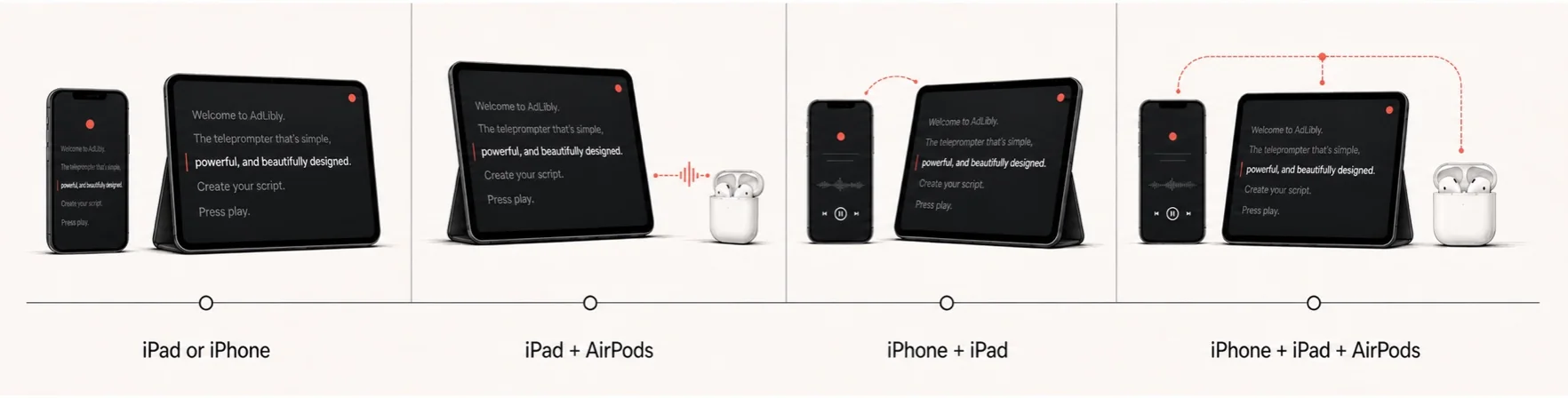
Four useful setups
- iPhone or iPad by itself for a simple presentation.
- iPad with AirPods for private audio.
- iPhone Companion with iPad when the iPad microphone is busy.
- iPhone Companion, iPad and AirPods for a video call.
See the detailed Microsoft Teams setup, the Zoom setup, or all four arrangements in the Present anywhere section.