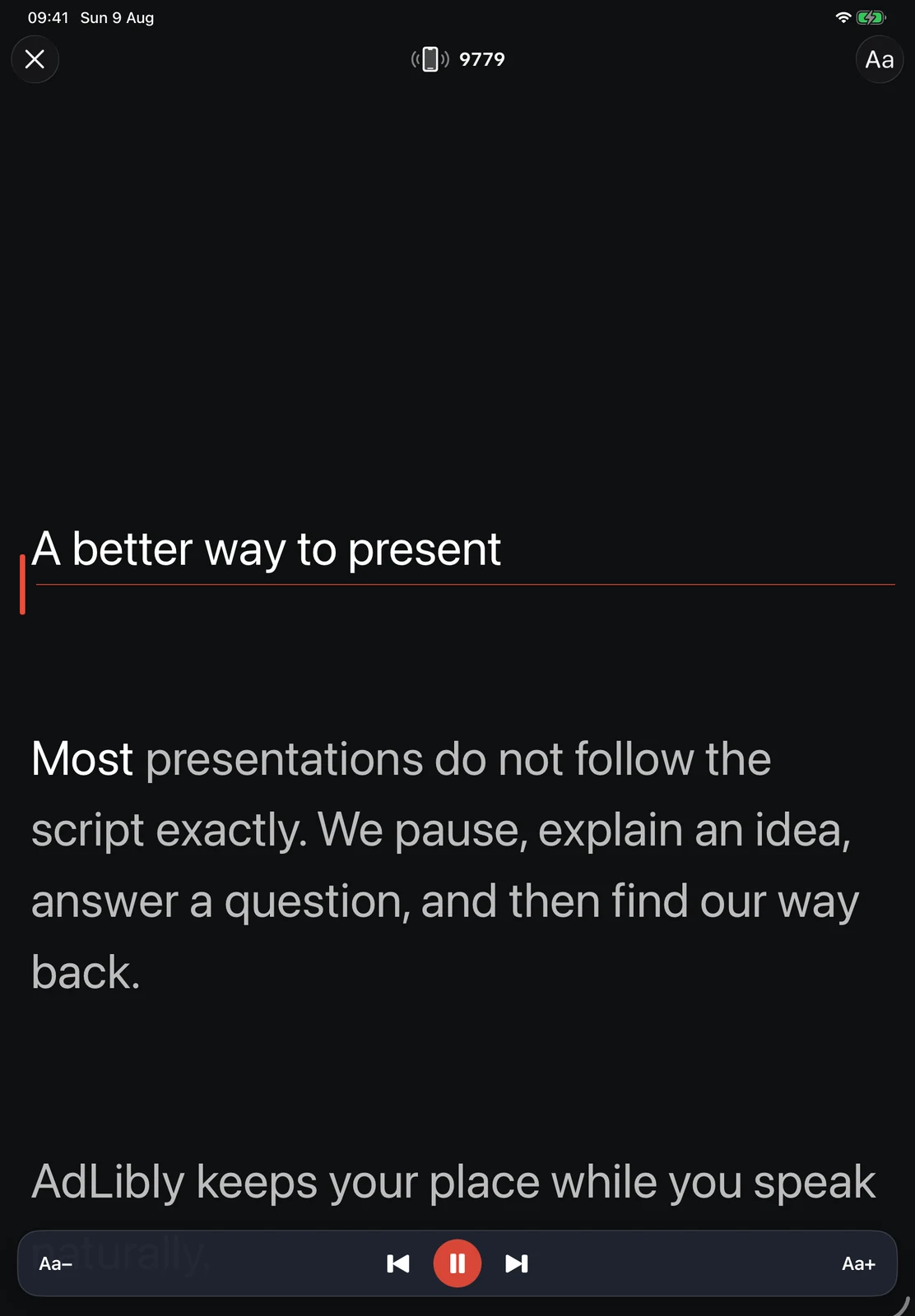
Every software teleprompter has to answer one practical question: when should the next line move into view? The two common answers are a timer and the speaker’s voice.
Each approach suits a different kind of presentation. A recorded voice-over with a fixed duration has different needs from a product demo with questions. Understanding how the scrolling behaves makes it easier to choose the right teleprompter and write a script that works with it.
How auto-scroll works
An auto-scroll teleprompter moves the script at a chosen speed, usually expressed as a slider or an approximate reading rate. The speaker adjusts the pace until it feels comfortable, starts scrolling, and reads while the text moves.
The method is simple and predictable. It works without microphone access or speech recognition, whether you are in a quiet studio, a noisy room, or a silent rehearsal. For a short, tightly written recording, that simplicity can be ideal. Before rehearsing a fixed-duration recording, use the script timing calculator to check that the word count and planned pace agree.
The scroll continues at the chosen speed whatever the speaker is doing. During a pause, repeated sentence, or unscripted explanation, the words continue moving and may need to be adjusted manually.
How a teleprompter can move with the speaker
A responsive teleprompter listens for the words being spoken and matches them to the script. The active line advances as the speaker progresses. When the speaker pauses, the script waits.
The app needs to understand position: which phrase was spoken, whether the speaker skipped forward, and where to reconnect after an unscripted passage.
Speech-based tracking suits variable delivery and requires microphone access, clear enough speech to match the text, and a sensible fallback when the environment or another app prevents listening.
What happens when you pause?
With auto-scroll, a pause creates distance between the speaker and the script on screen. You can tap pause before taking a breath or use a remote, adding one more small task to the presentation.
When the teleprompter tracks spoken position, the script remains on the current thought. This helps with deliberate pauses as well as unplanned moments, such as a slide taking longer to load or someone entering the room.
What happens when you ad-lib?
Fixed-speed scrolling continues through an ad-lib unless you stop it. When you finish the detour, you must find the correct line and restart at an appropriate speed.
A teleprompter that tracks spoken position can recognise an unscripted passage and wait near the last known position. When the speaker returns to the script, it can reconnect. The exact behaviour varies by app, so test it with the way you actually present.
In practice: fixed-speed scrolling works best with a rehearsed pace. Speech-based tracking gives the speaker more room to vary the delivery.
A four-minute rehearsal
Test the moment that usually breaks your delivery
Do this with the same device, camera position, and script you will use for the real presentation. It is more useful than choosing a scrolling method from a feature list.
- Read one short paragraph at the pace you would use with an audience.
- Stop for five seconds, then carry on. Notice whether you have to find the moving text before you can speak.
- Answer one imagined question in your own words, then return by saying a distinctive phrase from the next section.
- Skip to a later paragraph and restart without trying to recover every missed word.
If you can make those changes without the prompt becoming another thing to manage, the method is a good fit. If the test feels awkward, choose the simpler method for that presentation or rewrite the script with clearer section landmarks.
Where auto-scroll is a good fit
- A rehearsed recording with a strict running time.
- A silent environment where microphone access is unavailable.
- A script being controlled by a dedicated teleprompter operator.
- A speaker who prefers a steady external pace.
Where speech-based tracking is a good fit
- Presentations that include questions or discussion.
- Product demonstrations where timing can change.
- Video calls in Microsoft Teams, Zoom, or Google Meet.
- Speakers who pause frequently or vary their pace.
- Anyone who wants the freedom to go off-script and return.
Choose by the moment, not the label
| If your presentation has… | Start by trying… | Why |
|---|---|---|
| A fixed duration and a fully rehearsed script | Fixed-speed scrolling | Its steady movement can support a planned rhythm without needing microphone access. |
| Questions, pauses, or a changing demo | Voice-follow prompting | The prompt can wait while the conversation takes a different route. |
| A room where recognition is unreliable | Fixed-speed scrolling with manual controls ready | A predictable fallback is better than asking a speech system to guess. |
| A meeting app using the presenting device's microphone | Voice-follow from a separate nearby device | The meeting and the prompt can avoid competing for the same microphone. |
Give voice-follow a fair chance to find you again
Voice-follow is not a promise that every spoken word will be matched. It works best when the written script has recognisable phrases and you return to an actual sentence rather than trying to resume from a fragment. A useful habit is to begin each section with a few specific words that you would naturally say aloud, rather than a repeated label such as “next point.”
AdLibly deliberately treats a large jump as something to confirm, not an instruction to race through the script. Its on-device follower advances locally during ordinary speech and uses several matching words to reconnect after a skip or detour. If listening is unavailable or the room is too difficult, pause and use the paragraph controls to put the reading line back where you need it.
The microphone complication
Speech-based tracking needs a listening device. If a meeting app is already using the microphone on the same iPhone or iPad, the teleprompter may not be able to listen concurrently. This is a common issue when using a teleprompter with Microsoft Teams.
With AdLibly, you can read on the iPad while a nearby iPhone runs the optional Companion listening role. The two devices pair with a temporary code over an encrypted local connection; the iPhone sends script position and confidence, not audio. That keeps the call on its device while the prompt can still follow your place. Use the Teams preflight to check the pairing and audio route before anyone joins.
Choosing between them
Start with the kind of presentation you are giving. A rehearsed delivery with exact timing is a natural fit for auto-scroll. A live or conversational setting benefits from tracking the speaker's position because the words stay aligned as the pace changes.
The rest of the setup matters too: readable text, a clear active line, mirror mode for beamsplitter glass, and simple controls that stay out of the way. Together, those details make a teleprompter comfortable to use.
Read from display glasses
You can also read on Meta Ray-Ban Display. Your iPhone follows your speech while the glasses keep your words in view. Present through Cloud. Direct mode is coming soon. Requires Meta Developer Mode.
Your words set the pace
AdLibly tracks your place locally on iPhone and iPad. Pause, skip ahead or take a question. When you return to the script, AdLibly finds your place again.
Get AdLibly